
TL;DR:
- A trade master account automatically copies trades to multiple accounts, saving time and reducing errors.
- It operates via local EA software that detects, logs, and replicates trade actions instantly.
- Success depends on proper setup, reliable VPS hosting, and adherence to broker and prop firm rules.
Managing multiple forex accounts by hand is one of the fastest ways to burn out and leave money on the table. You execute a trade on one terminal, then scramble to replicate it on two, three, or five others, and by the time you’re done, slippage has already eaten into your edge. A trade master account solves this by acting as a single source of truth: one account generates the signals, and a trade copier pushes those positions to every client account in 1 second or faster under normal market conditions. This guide breaks down exactly what a trade master account is, how it works mechanically, what risks you need to manage, and how to set one up correctly from day one.
Key Takeaways
| Point | Details |
|---|---|
| Master account basics | A trade master account serves as the primary source for replicating trades across multiple client accounts. |
| Efficiency advantages | Automated copying saves time, reduces manual error, and enables fast coordinated execution. |
| Know the risks | Slippage, latency, and broker limitations are critical risks; careful setup is essential. |
| Test before you trade | Always test your copier system on demo accounts to fine-tune performance and compliance before going live. |
| Success is in optimization | Choosing the right tools, aligning with broker rules, and proactive monitoring enable safer, more effective multi-account trading. |
Understanding trade master accounts: The foundation of efficient trade copying
A trade master account is the designated source account in a multi-account trading setup. Every trade you open, modify, or close on the master is automatically replicated to one or more client accounts through trade copier software. Think of it as the conductor in an orchestra: the master sets the tempo and every instrument follows in near real time.
The concept is straightforward, but the implications are significant. Instead of logging into five separate terminals and manually entering the same position five times, you trade once and let the copier handle the rest. This is the core value proposition behind copying trades from a master account in environments like MetaTrader 4 and MetaTrader 5.
Who uses master accounts?
- Retail traders managing multiple personal accounts or funded accounts simultaneously
- Independent account managers who execute strategies on behalf of clients
- Prop firm traders who need to replicate a strategy across several funded challenges
- EA developers distributing a single licensed algorithm across multiple terminals
What distinguishes a master account from a standard trading account is not the account type itself but the role it plays in the software architecture. The master account runs the Local Trade Copier’s “Server” Expert Advisor, which monitors every trade event and broadcasts it to connected client accounts running the “Client” EA.
One important rule that catches traders off guard: most prop firms permit trade copiers while prohibiting external signal subscriptions, meaning the trader must personally control the master account. You cannot subscribe to someone else’s signals and pipe them into a prop firm account. The master must be yours, and the decisions must originate from you. This distinction is critical if you’re running funded accounts alongside personal ones.
Common setups involve MT4-to-MT4, MT5-to-MT5, or cross-platform configurations like MT4-to-DXTrade. The master account can be on a demo or live terminal, though live-to-live is the most common production setup.
How does a trade master account work? Core mechanics and structure
With a clear definition in place, let’s explore the nuts and bolts of how a trade master account operates in practice.
The architecture follows a master-client model. The master account runs the Server EA inside MetaTrader, which watches for any trade event: open, close, modify, partial close. The moment an event fires, it writes instructions to a shared folder on the local machine. The Client EA on each connected account reads those instructions and executes the corresponding trade immediately.

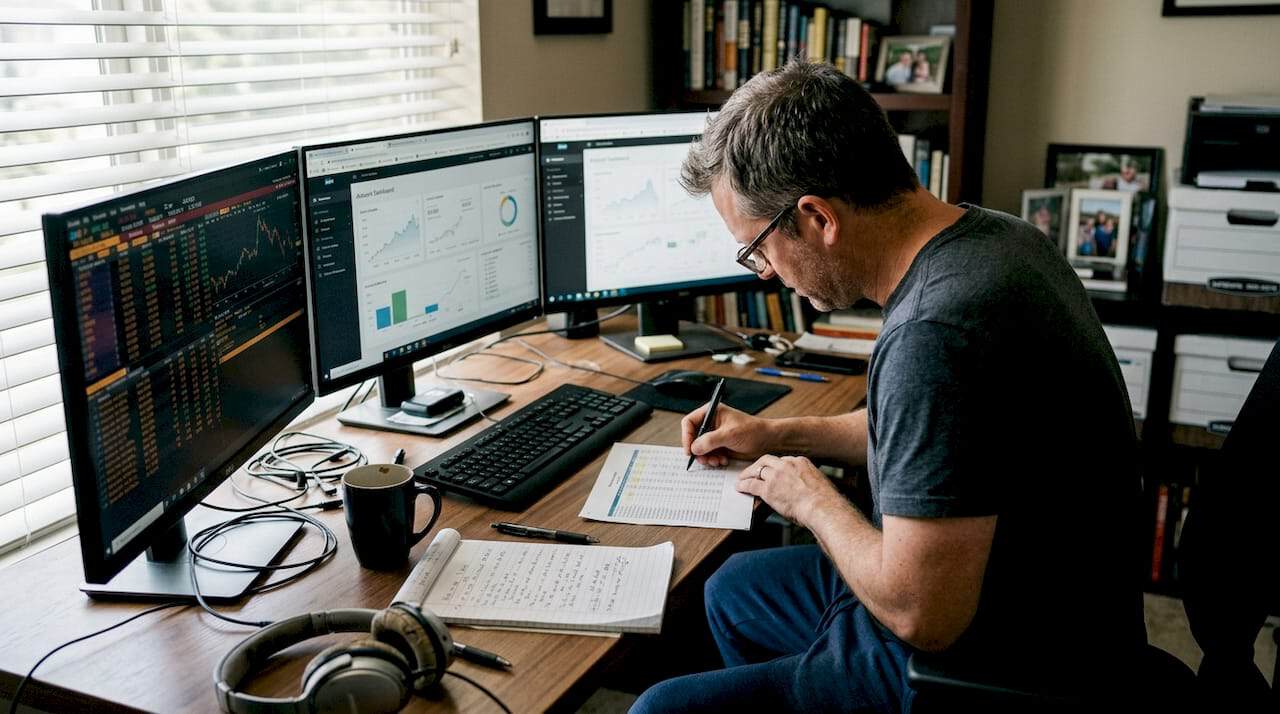
Trader operating MetaTrader trade copier setup
Because everything happens on one Windows machine or VPS, there is no cloud routing, no external server hop, and no third-party latency. Local Trade Copier achieves 1-second-or-faster execution under normal market conditions precisely because the data never leaves your machine.
Step-by-step signal flow:
- You open a trade on the master account terminal
- The Server EA detects the new position and writes trade parameters to a local file
- The Client EA on each client terminal reads the file almost instantly
- Each client account opens a corresponding trade, scaled to its configured lot size
- Any modification or closure on the master triggers the same sequence
For traders copying from one master to multiple clients, the process scales linearly. Three clients, ten clients, or more: the Server EA broadcasts once and every Client EA acts independently.
| Feature | Single-account trading | Master/copier setup |
|---|---|---|
| Trade entry | Manual per account | Automatic from master |
| Execution speed | Varies per terminal | Sub-1 second locally |
| Lot size control | Manual per account | 8 money management modes |
| Scalability | Limited by time | Scales to many accounts |
| Error risk | High with multiple entries | Minimal after setup |
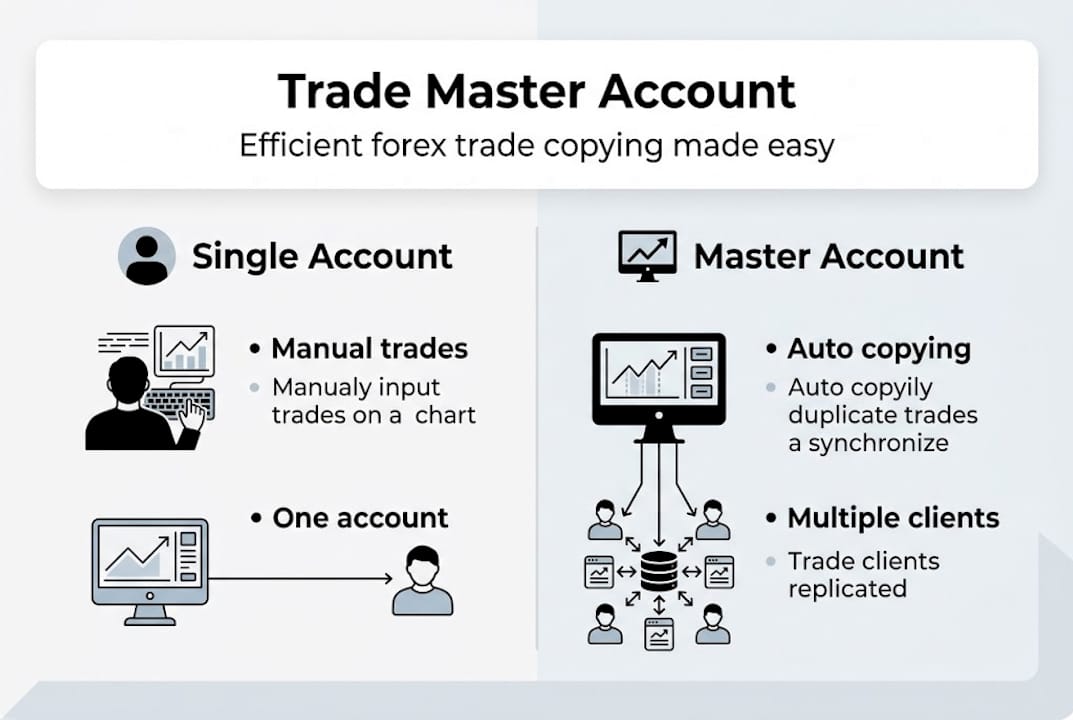
Infographic comparing master and single trading accounts
Operational requirements matter here. Stable internet, a low-latency VPS close to your broker’s server, and a clean MetaTrader installation all contribute to reliable copying. Prioritize a VPS near your broker for minimal latency and test on demo first before you run anything on a live account.
Pro Tip: Before adding a new client account to your live setup, use the adding a master account workflow on a demo environment. Confirm that lot scaling, symbol mapping, and trade direction all behave as expected before any real capital is involved.
Benefits and risks: Is a trade master account right for you?
Understanding how master accounts work, it’s vital to weigh the benefits against potential risks before implementation.
Primary benefits:
- Time savings: Execute once, replicate everywhere. What used to take minutes across terminals now takes milliseconds.
- Scalability: Add new client accounts without changing your trading process at all.
- Error reduction: Manual re-entry introduces typos, wrong lot sizes, and missed trades. Automation removes that entirely.
- Execution consistency: Every client account receives the same trade at nearly the same moment.
Critical risks to manage:
- Slippage: Client accounts may fill at slightly different prices, especially during fast markets or news events.
- Latency: Even local setups can lag if the VPS is overloaded or the broker’s server is distant.
- Technology failures: A crashed terminal or lost connection means the client account misses trades.
- Broker restrictions: Some brokers and prop firms have specific rules about automated copying that you must verify before going live.
Trading involves significant risk of loss. A master account setup replicates your positions across multiple accounts simultaneously, including any losses. Confirm your broker and prop firm permit trade copiers before going live.
Slippage and latency are the primary risks in trade copying, and while failure rate benchmarks are thin across the industry, experienced traders consistently flag these two factors as the ones that erode performance over time. Understanding copying trades limitations around netting and FIFO rules is also essential if you trade with US brokers or specific prop firms.
| Factor | Manual trading | Master account setup |
|---|---|---|
| Execution speed | Slow, human-dependent | Near-instant, automated |
| Labor per trade | High | Minimal after setup |
| Consistency | Variable | High |
| Slippage risk | Present | Present, manageable |
| Broker compliance | Simple | Requires verification |
When a master account setup is a good fit:
- You manage two or more accounts with the same strategy
- You want to scale without hiring additional staff
- Your broker and prop firm explicitly permit trade copiers
When it may not be appropriate:
- You use a netting account model that conflicts with copier logic
- Your broker prohibits automated copying tools entirely
- You have inconsistent internet or VPS connectivity
Setting up and optimizing your trade master account
If the advantages outweigh the risks, here’s exactly how you can set up and optimize your master trade environment.
Step-by-step setup process:
- Select your master account and confirm broker compatibility with trade copiers
- Verify your prop firm or broker rules regarding automated tools and account control
- Install Local Trade Copier’s Server EA on the master terminal and Client EA on each client terminal
- Configure lot sizing rules for each client account based on balance or fixed lot preferences
- Run the full setup on demo accounts first to validate behavior
- Monitor latency and fill quality during the demo phase before switching to live
- Go live only after confirming consistent, accurate replication across all client accounts
The demo-first rule is non-negotiable. Test copier solutions on demo accounts before live trading, and treat that phase as a real audit of your workflow, not just a formality. Watch for symbol mismatches, lot size errors, and any trade that fails to copy.
For advanced optimization, VPS selection is where many traders leave performance on the table. A VPS located in the same data center as your broker’s server can cut round-trip latency to under 5 milliseconds. That matters when you’re copying across five accounts during a volatile NFP release.
If something goes wrong, the troubleshooting copier issues guide covers the most common failure points: EA permissions, file path errors, and terminal restart sequences. You can also review the testing a copier on demo accounts walkthrough for a visual reference.
Pro Tip: Document every configuration decision, including lot size rules, VPS specs, and broker-specific settings. When something breaks at 2 AM during a live trade, a written record of your setup is the fastest path to a fix.
Why choosing the right master account strategy isn’t what most traders think
Most traders spend hours comparing copier features and almost no time auditing their network environment and broker rules. That’s backwards. The software is rarely the bottleneck. The VPS location, the broker’s execution model, and the prop firm’s compliance requirements dictate real-world performance far more than any feature list.
The uncomfortable truth is that a simple, well-tested setup on a fast VPS will outperform a complex, feature-rich configuration on a slow connection every single time. Traders with elaborate multi-account architectures often report consistent slippage issues, while simpler setups configured correctly tend to run cleanly for months without intervention.
The other overlooked factor is timing. Testing on demo during low-volatility hours and then going live during a major news event is a recipe for surprises. Your master account selection strategy should include stress-testing under real market conditions before you commit real capital. Simplicity, tested thoroughly, beats complexity tested poorly.
Streamline your multi-account trading today
A well-configured trade master account removes the manual bottleneck from multi-account trading and replaces it with a system that scales without adding to your workload. The concepts covered here translate directly into faster execution, fewer errors, and more consistent results across every account you manage.
](https://mt4copier.com)](https://mt4copier.com)](https://csuxjmfbwmkxiegfpljm.supabase.co/storage/v1/object/public/blog-images/organization-20479/1773294400737_mt4copier.jpg)
Local Trade Copier has been the go-to locally-installed solution for over 3,000 traders since 2010, with 491 Trustpilot reviews backing its reliability. Whether you’re ready to explore ultra-fast trade replication or need a straightforward easy copier setup guide to get started, the tools are ready. For traders who want to push further, the advanced copier management features give you precise control over stop loss, take profit, and order sequencing. Start your 7-day free trial and see how much time you reclaim on day one.
Frequently asked questions
What is a trade master account in forex trading?
A trade master account is a single source account whose trades are automatically copied to one or more client accounts, enabling synchronized multi-account trading without manual re-entry.
What are the main risks of using a master account setup?
The primary risks are slippage and latency in trade copying, along with strict broker or prop firm rules that govern how the master account must be controlled.
How can I safely trial a trade copier before going live?
Always test copier solutions on demo accounts first to verify lot sizing, symbol mapping, and execution accuracy before risking any real capital.
Are trade master accounts allowed by all prop firms?
Most prop firms allow copiers but ban signal services, requiring the trader to personally control the master account rather than subscribing to an external signal provider.
Recommended
- How To Copy Trades From Selected MetaTrader 4 Master Accounts
- FX Account Cloning™ Setup: Trade Forex On Many Accounts
- Trade copying best practices for efficient forex management
- The Definitive Guide to Forex Trade Copying
