

TL;DR:
- Manually re-entering trades across MT4 and MT5 is inefficient and prone to errors.
- Using a dedicated MT4 to MT5 trade copier automates replication, reducing latency and mismatches.
- Proper setup, symbol mapping, and continuous monitoring are essential for reliable cross-platform trade copying.
Manually re-entering trades across MT4 and MT5 accounts is a productivity trap. One missed click, one wrong lot size, and you’ve created a position mismatch that takes hours to unwind. For traders running multiple accounts or copying signals to clients, this friction compounds fast. A proper MT4 to MT5 trade copier eliminates that friction entirely, replicating every trade automatically with configurable lot sizing and near-instant execution. This guide walks you through exactly what you need, how to set it up, how to fix common problems, and how to scale your setup once it’s running reliably.
Key Takeaways
| Point | Details |
|---|---|
| Check requirements carefully | Having the right MT4/MT5 versions, broker support, and VPS setup is critical before starting. |
| Accurate symbol mapping | Always configure symbol mapping to match different broker label conventions and avoid missed trades. |
| Local copiers minimize delays | Use a local copier on a reliable VPS to achieve the lowest trade replication latency. |
| Test before scaling | Demo test with real orders to catch symbol or execution mismatches before using live money. |
| Advanced copiers can scale up | Professional solutions support multi-account and multi-master setups for serious traders. |
What you need before you start copying trades
Before you install anything, get your environment right. A sloppy setup creates problems that look like software bugs but are really just missing prerequisites. Here’s what you need to have in place.
Hardware and software requirements
| Requirement | Minimum spec | Recommended spec |
|---|---|---|
| Operating system | Windows 7 | Windows 10/11 or VPS |
| RAM | 4 GB | 8 GB or more |
| CPU cores | 2 cores | 4 cores or more |
| MT4 terminal | Latest build | Latest build |
| MT5 terminal | Latest build | Latest build |
| Internet connection | Stable broadband | Low-latency VPS |
You’ll need both platforms installed and logged into live or demo accounts. If you’re unsure how the platforms differ, reviewing what MetaTrader 4 is before proceeding will save you confusion later. Follow the installation steps for MT4 and MT5 to confirm your terminals are correctly configured before adding any Expert Advisors.
Key prerequisites checklist:
- Active MT4 account (master/source) and MT5 account (client/receiver)
- Copier software with cross-platform support (MT4 to MT5 capable)
- Both terminals running simultaneously on the same machine or VPS
- AutoTrading enabled in both terminals
- DLL imports allowed in EA settings
- Broker accounts with compatible execution types
One detail traders consistently overlook is symbol naming. Your MT4 broker might list gold as XAUUSD while your MT5 broker uses GOLD or XAUUSDm. Without addressing this, trades simply won’t copy. Symbol mapping configuration is essential for handling broker-specific differences in symbol names, configured in the Client EA to ensure accurate trade replication.
A VPS matters more than most traders expect. Running both terminals on your local desktop means any internet drop or power interruption kills your copier. A Windows VPS with a stable uptime guarantee keeps the copy process running 24/5 without babysitting.

Woman running trading platforms on remote VPS
Pro Tip: Always start with demo accounts on both sides. This lets you catch symbol mismatches, execution quirks, and lot sizing errors before any real money is involved. Spend at least two to three trading sessions on demo before switching to live.
Step-by-step guide: Setting up MT4 to MT5 trade copying
Once your environment is ready, the setup process is straightforward if you follow it in order. Skipping steps here is where most configuration failures come from.
Setup steps:
- Download and install the copier software. Place the Server EA files in your MT4 terminal’s Experts folder and the Client EA files in your MT5 terminal’s Experts folder.
- Restart both terminals after file installation so the EAs appear in the Navigator panel.
- Attach the Server EA to any chart in MT4. This is your master account. Configure your lot multiplier, risk settings, and account filters in the EA inputs.
- Attach the Client EA to any chart in MT5. This is your receiver account. Set the communication channel to match the Server EA’s identifier.
- Configure symbol mapping in the Client EA inputs. Map each MT4 symbol to its MT5 equivalent for your specific broker.
- Enable AutoTrading on both terminals and confirm DLL imports are allowed.
- Place a test trade manually on the MT4 master account and verify it appears on the MT5 client account within seconds.
For a visual walkthrough, the video demo of the process shows the exact EA attachment and input configuration in real time. The detailed MT4 to MT5 copy guide covers every input field if you want to go deeper on specific settings.
Local vs. cloud copier performance:
| Feature | Local copier | Cloud copier |
|---|---|---|
| Execution latency | 1 second or faster (normal market conditions) | Varies by provider; typically 1-100ms added delay depending on architecture |
| Data routing | On-machine only | External servers |
| Prop firm risk | Low (single IP) | Higher (cloud IP) |
| Uptime dependency | Your VPS/PC | Third-party servers |
Local copiers copy trades in 1 second or faster under normal market conditions, keeping all data on-machine with no external routing. Cloud solutions vary widely in latency depending on provider and server location — some advertise under 10ms, others 50ms or more. For scalping strategies or fast-moving markets, choosing a local copier on a low-latency VPS is the more predictable option.
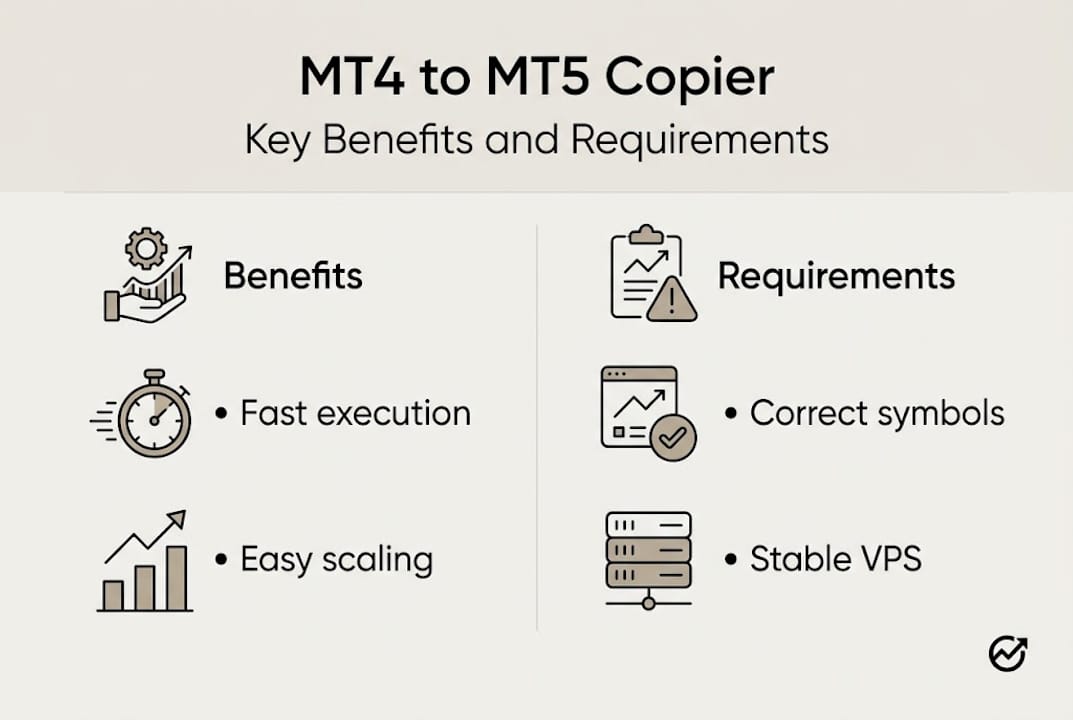
Infographic comparing copier benefits and requirements
Pro Tip: If you’re running a VPS, choose one with a data center close to your broker’s server location. This alone can cut execution time noticeably compared to a geographically distant VPS.
Troubleshooting and handling common issues
Even a correctly configured copier will hit snags. Knowing what to look for saves hours of frustration.
Common issues and fixes:
- Trades not copying at all: Check that AutoTrading is enabled on both terminals. Confirm the Server and Client EA identifiers match exactly. Verify DLL imports are allowed in MT4 and MT5 settings.
- Symbol not found errors: The Client EA cannot find the symbol on the MT5 broker. Update your symbol mapping to match the exact name your MT5 broker uses.
- Wrong lot sizes on copied trades: Review your lot multiplier settings in the Client EA. If scaling by balance, confirm the account balance input is correct.
- Delayed execution on the client side: Check your VPS CPU and RAM usage. High resource usage slows EA processing. Also confirm your internet connection is stable.
- Partial fills not copying correctly: Some brokers partially fill orders differently across platforms. Test with smaller lot sizes to identify if this is broker-specific behavior.
- Trades closing on master but staying open on client: This usually points to a symbol mapping mismatch or a netting account conflict on the MT5 side.
The netting vs. hedging distinction is one of the most misunderstood issues in cross-platform copying. MT4 only supports hedging accounts, where each trade is an independent position. MT5 supports both. Hedging vs. netting account differences require specific copier configurations, and bidirectional copying (MT5 to MT4) works by swapping Server and Client roles. Multi-master setups use account filtering or groups to manage signal sources.
If your MT5 broker uses a netting account, review the limitations for netting accounts before going live. Netting accounts aggregate positions, which can cause unexpected behavior when a copier tries to manage individual trades. For deeper speed issues, latency troubleshooting covers network-level diagnostics.
Critical note: Some brokers require entirely custom symbol names that don’t follow any standard convention. Always verify your MT5 broker’s exact symbol list in the Market Watch window before finalizing your symbol mapping. A single character difference will cause trades to fail silently.
Also check broker execution variances since spread differences and execution models between your MT4 and MT5 brokers can affect how copied trades perform, even when the copier itself is working perfectly.
Validating, optimizing, and scaling your copier setup
Getting the copier running is step one. Keeping it reliable and scaling it up is the real work.
Validation checklist:
- Place a buy and a sell trade on the master MT4 account. Confirm both appear on the MT5 client within your expected latency window.
- Close one trade on the master. Confirm it closes on the client.
- Modify a stop loss on the master. Confirm the modification copies to the client.
- Check lot sizes on the client match your configured multiplier or risk settings.
- Run this test during active market hours to catch any execution-time behavior differences.
Ongoing optimization tips:
- Monitor your VPS resource usage weekly. RAM and CPU spikes during news events can slow EA processing.
- Log your copy latency over time. Sudden increases often signal a network or broker-side issue.
- Review your symbol mapping after any broker platform updates. Brokers occasionally rename symbols.
- Test your setup after every copier software update before relying on it for live trading.
For high-frequency scenarios, VPS specs matter. Running multiple MetaTrader terminals simultaneously is resource-intensive — 4 cores and 8 GB RAM is a commonly cited practical baseline, though actual requirements vary by the number of terminals and broker connections. At scale, platforms like Duplikium process over 6 million orders weekly across 25,000 accounts, which gives a useful sense of what optimized infrastructure can handle.
Scaling to multiple client accounts follows the same logic as a single client setup, with additional Client EA instances attached to separate charts. Each client account gets its own EA instance with its own lot sizing configuration. Review multi-account copying strategies for guidance on managing risk across many accounts simultaneously. When you’re ready to expand, add new accounts to your setup without rebuilding your existing configuration from scratch.
For demo testing advice specific to broker execution variances, running parallel demo and live tests side by side for one to two weeks gives you a reliable baseline before committing fully.
Our take: What most traders miss about MT4 to MT5 copying
Here’s something worth saying plainly: most traders treat trade copying as a technical problem and stop thinking about it once the EA is attached and trades are flowing. That’s where things quietly go wrong.
Broker-side execution is not uniform. Your MT4 broker and your MT5 broker have different liquidity providers, different spread models, and different execution speeds. A copier can replicate your entries perfectly and you can still get materially different results on the two accounts because of those differences. No copier eliminates broker variance. Constant testing is the only answer.
The other thing traders underestimate is how much small configuration errors compound over time. A symbol mapping that’s slightly wrong, a lot size that’s off by a multiplier, a netting account that silently aggregates positions. None of these feel catastrophic on day one. Over weeks, they erode your results in ways that are hard to trace back to the source.
Our honest recommendation: treat your copier setup like a live trading system, not a set-and-forget tool. Review advanced multi-account best practices regularly and build in a monthly audit of your configuration, your symbol mappings, and your execution quality. Automation is powerful. Automation plus vigilance is reliable.
Risk Warning: Trading foreign exchange on margin carries a high level of risk and may not be suitable for all investors. Trade copier software replicates your trades automatically — it does not reduce or manage trading risk.
Level up your trade copying with advanced tools
If you’re serious about MT4 to MT5 trade replication, the right tools make a measurable difference. Local Trade Copier has been the go-to locally-installed solution since 2010, with 3,000+ active users and 491 Trustpilot reviews backing its reliability.
](https://mt4copier.com)](https://csuxjmfbwmkxiegfpljm.supabase.co/storage/v1/object/public/blog-images/organization-20479/1773294400737_mt4copier.jpg)
The premium MT4/MT5 copier copies trades in 1 second or faster under normal market conditions, includes 8 money management modes, and full cross-platform support under one subscription with a 7-day free trial. Follow the step-by-step installation guide to get your setup running in under an hour. If speed is your priority, explore the fast trade copying solution built specifically for low-latency environments and high-frequency replication needs.
Frequently asked questions
Is it possible to copy trades from MT5 back to MT4?
Yes. Bidirectional copying works by swapping the Server and Client EA roles, placing the Server EA on MT5 and the Client EA on MT4.
How can I avoid trade execution delays when copying between MT4 and MT5?
Run a local copier on the same machine or a quality VPS. Local copiers copy trades in 1 second or faster under normal market conditions, while cloud solutions vary by provider and server proximity — some advertise under 10ms, others 50ms or more.
What is symbol mapping and why does it matter?
Symbol mapping matches broker-specific symbol names between platforms. Without it, the Client EA cannot find the correct instrument and trades will fail to execute on the receiving account.
Are there trade copier solutions suitable for managing hundreds of accounts?
Yes. Professional copiers support multi-master setups via account filtering and groups, allowing efficient scaling and signal routing across large numbers of client accounts.
What’s the best way to test if my MT4-to-MT5 copy setup works?
Always demo test for broker symbol and execution variances first. Run parallel demo accounts for at least two to three sessions before switching to live trading.
Recommended
- Copy Trades MT4 to MT5: Complete Setup Guide (2026)
- How to Copy Trades Between Two or More MT5 Trading Accounts
- Copy & Paste Your Forex and Gold Trades From MT5 to MT4
- How To Copy Forex & Gold Trades From MT4 to MT5 in One Click
