

Fixed lot copying sends the same lot volume to every receiving account regardless of balance or stop distance, so the risk that each account actually carries drifts as those inputs change. It works for short demo tests or matched micro accounts where balances are nearly identical. It becomes dangerous on live accounts of different sizes without a floor, ceiling, or percentage-based override, so the rest of this guide covers the math, the copier settings, and the safeguards that keep it controlled.
TL;DR:
- Copier precedence puts FixedLot ahead of multipliers, balance ratios, and maximum lot caps, so enabling it can override scaling you intended to keep active.
- A $10,000 account needs 0.2 lots to risk 1% with a 50 pip stop and $10 pip value; that order risks 5% on $2,000.
- Broker volume steps can change dollar risk through rounding; check symbol specifications and EA logs, then confirm the accepted lot on demo.
- Start with a micro lot demo using BalanceRatio and a conservative MaxLot cap; set floor and ceiling limits before moving to live copying.
- After six to twelve months or a set trade count, shift to capped hybrid sizing, then percentage sizing once the strategy shows a documented edge.
How fixed lot copying behaves in real setups
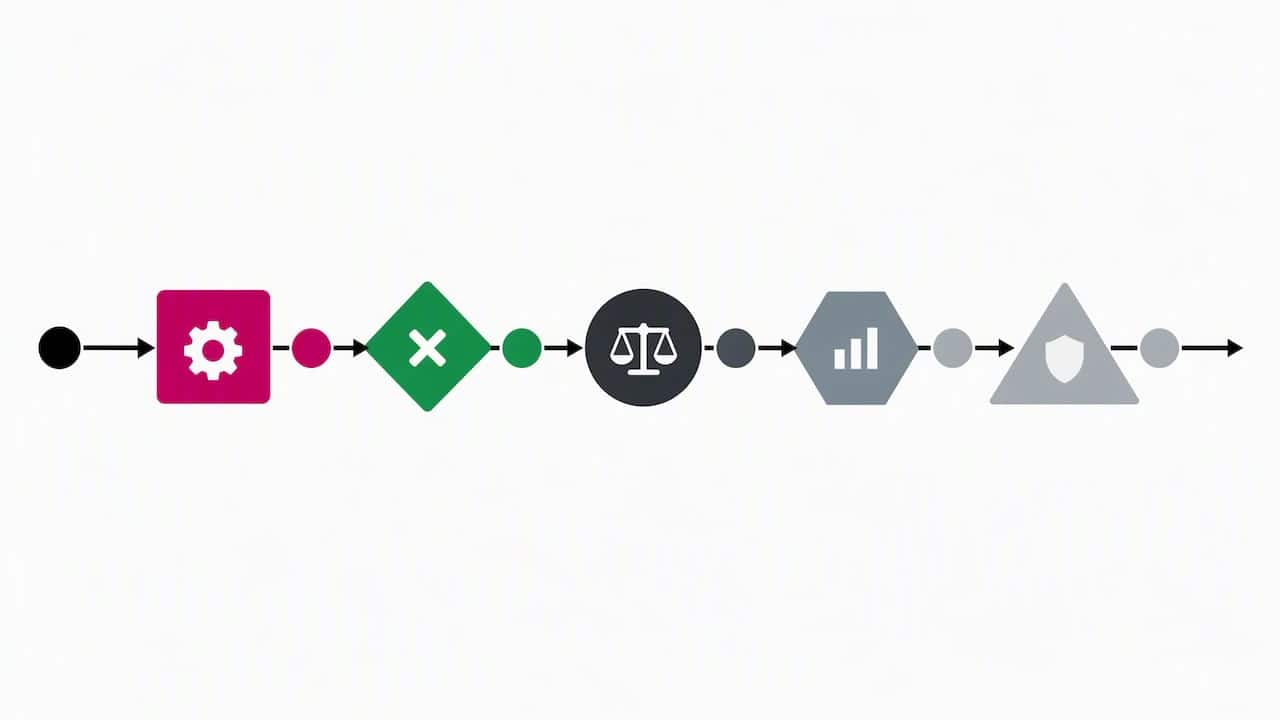
A trade copier reads a lot value from the master account and applies it to each slave account according to a precedence order: a fixed lot override usually wins first, then a multiplier, then balance-ratio scaling, then a maximum lot cap, and finally whatever the broker itself allows, as copier precedence rules describe. That order matters because enabling fixed lot without thinking about the rest can override scaling you meant to keep active.
Before trusting any output, check the broker’s symbol specification: contract size, pip value, minimum and maximum volume, and the volume step. Rounding is where plans quietly break. A computed lot of 0.013 does not execute at 0.013. It rounds to the nearest valid step, often 0.01 or 0.02, which changes the realized dollar risk from the one you calculated, as explained in lot size and lot step documentation.
A short verification routine catches this before it costs money:
- Place one small test trade and read the EA log for the exact lot sent.
- Compare the sent lot against the broker’s minimum, maximum, and step.
- Confirm the realized dollar risk against your planned figure.
- Repeat on a second account with a different balance to see the drift.
Fixed lot vs percentage sizing: what changes for a copy trader
Fixed-fraction sizing recalculates lot size from current balance so the percentage of equity at risk stays constant trade after trade, while fixed lot keeps the lot number constant and lets the percentage risk move with the balance, per the formula described in compound vs fixed lot position sizing. That single difference explains most of the behavior gap between the two approaches.
- Fixed lot is simple to set up and predictable in lot terms, but the percentage of the account at risk drifts as the balance grows or shrinks.
- Fixed-fraction keeps risk percentage steady and compounds gains, but it produces lot sizes that change constantly and demands more active monitoring.
- A hybrid setup, a fixed lot with a floor and ceiling, captures some of the simplicity of fixed lot while limiting the worst drift.
Fixed lot is defensible for short-term testing phases, matched micro accounts, or demo verification where balances are nearly identical. Percentage risk becomes preferable once account sizes diverge or once a strategy has a documented track record worth protecting.
Fixed lot sizing produces linear account growth, while fixed-fraction sizing produces geometric growth over time, according to a beginner forex lesson on sizing strategy. That compounding effect is also why fixed-fraction systems tend to carry larger absolute-dollar drawdowns even when the percentage risk per trade stays fixed. Past results do not guarantee future performance.
How to compute lot targets for copied trades
The standard formula for calculating a lot size from a target risk percentage is Lot = (Balance × Risk%) divided by (Stop-loss in pips × pip value), as stated in the position sizing formula reference. Pip value depends on the pair and the account’s base currency, so it has to be pulled from the broker’s own specification rather than assumed.
Say an account has a $10,000 balance, a 1% risk tolerance, a 50-pip stop, and a pip value of $10 per standard lot. That gives a target of (10,000 × 0.01) divided by (50 × 10), which equals 0.2 lots. Send that same 0.2 lots to a $2,000 account with the identical stop and pip value, and the risk jumps to 5% of that account, five times the original target, purely because the lot was fixed rather than recalculated.
To avoid that mismatch:
- Convert your target dollar risk into lots using the formula above.
- Round the result to the broker’s allowed volume step, never up past your risk tolerance.
- Run one demo copy at that rounded lot and read the log for the exact value sent.
- Confirm the broker accepted the volume and recheck the realized dollar risk.
Pro Tip: Always recalculate pip value per account currency before copying across accounts denominated in different currencies.
Copier settings that control fixed lot behavior and safer alternatives
Most local copiers expose four layers of control, and they apply in a fixed order: FixedLot overrides everything, then Multiplier scales the master’s lot, then BalanceRatio adjusts proportionally to each account’s size, and finally MaxLot caps the result before the broker’s own limits apply, following the copier settings precedence breakdown.
Each setting fits a different job:
- FixedLot suits short testing runs where every account should receive an identical volume.
- Multiplier suits scaling a strategy up or down for one account without touching the others.
- BalanceRatio suits proportional exposure across accounts of different sizes.
- MaxLot and a floor setting act as safety caps that prevent any single trade from exceeding a set volume.
A sensible default for a first run is a micro-lot pilot: enable BalanceRatio with a conservative MaxLot cap, and leave FixedLot off until you have reviewed a few logged trades. Detailed configuration for forcing identical lots across accounts is covered in the same lot size walkthrough, and per-account sizing differences are covered in configuring different lot sizes per account. Verification stays the same regardless of which setting is active: read the EA log, check the symbol specification, and confirm the rounded lot matches your plan.
Practical rules and a transition plan from fixed lots to hybrid sizing
A workable path moves in three stages, guided by gestion du risque en trading : la regle qui protege votre capital principles. Run fixed lots during an initial testing window, roughly six to twelve months or a set number of trades, then shift to a hybrid model with a floor and ceiling, then move to full fixed-fraction sizing once the strategy shows a documented edge, a progression outlined in practitioner guidance on the transition path.
- Set a floor lot and a max-lot ceiling before copying to any live account.
- Resize the fixed lot at fixed checkpoints, weekly or monthly, or every set number of trades, rather than continuously.
- Define a stop-trading trigger, such as a drawdown threshold, that pauses copying until you review it.
- Journal every sizing change so you can trace what drove a shift in realized risk.
Forex trading carries meaningful risk tied directly to leverage and position size, and firms must disclose that risk under NFA guidance, per the NFA rulebook on forex regulatory requirements. That guidance is a reminder to run stress tests on your own sizing rules rather than relying on fixed lots alone to keep risk contained.
How Local Trade Copier supports fixed lot copying and safer sizing
We designed our trade copier software to run the settings this guide describes locally on your machine or VPS, so trades stay local without cloud routing.
- The software provides configurable lot sizing per client account, so a FixedLot, Multiplier, or BalanceRatio rule can be set independently for each one.
- Automatic lot scaling adjusts to a client account’s current balance to support floor and ceiling rules.
- Manual-like trade entry makes copied trades resemble manually placed orders, useful for accounts that restrict EA trading.
- Sub-1-second local execution keeps the lag between master and slave accounts small, which is helpful for verifying rounding against a fast-moving stop.
A sound first step is a local demo copy at micro-lot size, confirming the log and the rounded volume before scaling to a live account. Local Trade Copier replicates trades only. It carries no market logic or strategy layer, and past results do not guarantee future performance.
Author perspective: a compact recommendation for copy traders
Treat fixed lot copying as a tool for a defined testing phase, never as a permanent risk policy, because the moment account balances diverge, the risk percentage diverges with them. Journal every sizing decision, run a demo pilot before any live change, and recheck broker rounding on the symbol specification every time a lot size shifts.
— Rimantas
Try Local Trade Copier: demo, where to start, and what to test first

If the settings above sound like the right next move, we built Local Trade Copier to make them configurable per account rather than forced uniformly across every one.
- FixedLot, Multiplier, BalanceRatio, and MaxLot are each adjustable per client account, matching the precedence order covered earlier.
- Local execution keeps trade data on one machine, which matters for prop firm setups that restrict cloud IP routing.
- Manual-like entry helps copied trades pass as manually placed orders where EA trading is restricted.
A practical first test is a demo copy to a single slave account at micro-lot size, confirming the EA log and the rounded volume before scaling further. Watch the demo video for a walkthrough, or check pricing and plans starting at €29 per month for the PERSONAL Plan. The software replicates trades only and does not guarantee returns.
This article is general information, not a substitute for advice from a qualified financial advisor. Consult a qualified financial professional about your own circumstances before acting on anything here.
FAQ
What does 0.2 lot size mean?
A 0.2 lot size means 0.2 of a standard lot, a common output of the risk-percentage formula covered earlier in this guide, where balance, risk tolerance, stop distance, and pip value determine the target lot.
What is a copy trade option?
A copy trade option is a setting inside copier software that controls how a master account’s trade volume is translated to each client account, such as FixedLot, Multiplier, or BalanceRatio. These options determine whether every account receives the same lot or a size adjusted to its own balance.
What are the different types of lot sizing?
The main types are fixed lot sizing, which keeps the lot number constant, and fixed-fraction or percentage sizing, which recalculates the lot from current balance to hold risk percentage steady, as described in research on fixed lot vs compounding. Hybrid approaches combine a fixed lot with a floor and ceiling to limit drift between the two.
How does lot-for-lot order quantity work in a trade copier?
Lot-for-lot copying sends the exact same lot quantity from the master trade to every connected client account, without adjusting for balance or stop distance. It is the simplest copier mode but can misstate risk significantly once accounts have different sizes, which is why most setups pair it with a multiplier or balance-ratio override.
Sources
- Fixed Lot vs Compounding Strategy | Beginner Forex Lesson | FX Foundations
- Forex-basics
- Forex Lot Size: Standard, Mini, Micro Lots and Lot Step – PineConnector
- How COPYLATOR Combines Balance Ratio and Lot Multiplier for Smarter Position Sizing | MT5 Trade Copier – Other – 8 August 2026 – Traders’ Blogs
- NFA rulebook / forex regulatory guide
