
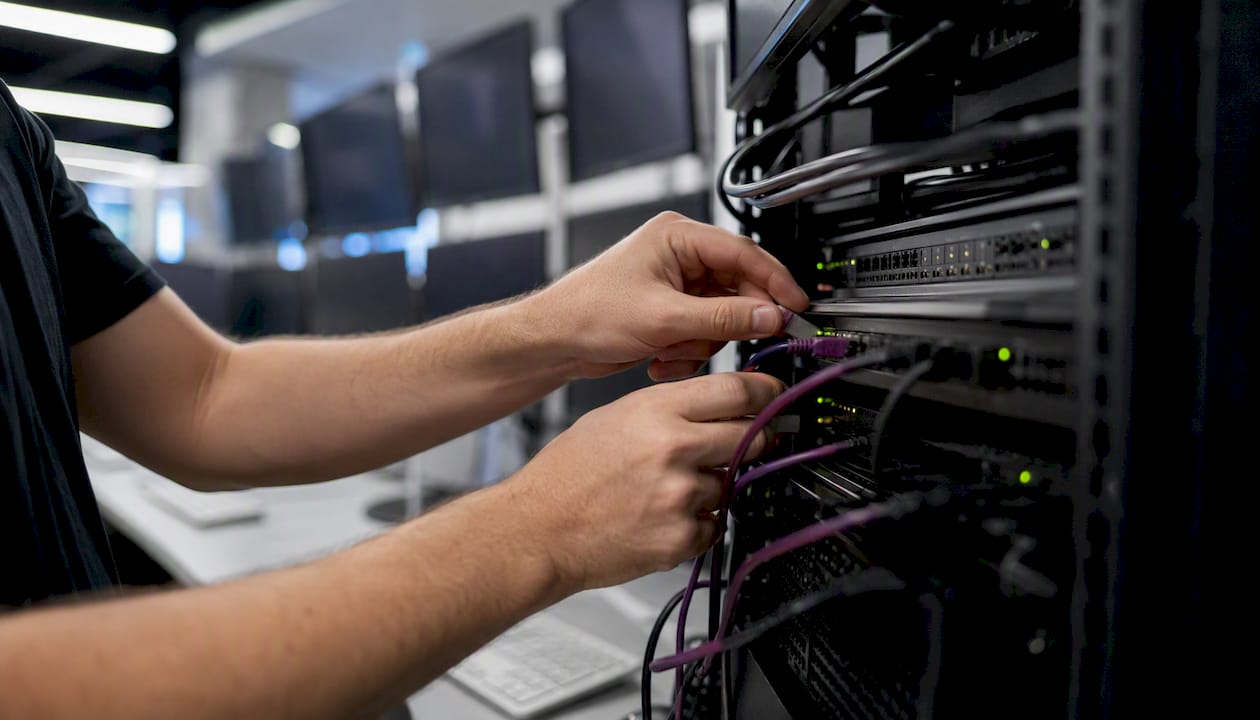
Running a trade copier locally on a Windows PC or trader-controlled VPS delivers faster, more private, and more deterministic execution than cloud-routed copying for multi-account MT4/MT5/DXTrade setups. The advantages of local trading servers come down to a few concrete operational wins:
- Sub-0.5-second local execution — no cloud hop between master and slave accounts
- IP isolation — your trades execute from your own IP, not a shared provider footprint
- Synchronous risk enforcement — lot scaling and risk checks run before the order leaves your machine
- Cross-platform compatibility — MT4, MT5, and DXTrade under one local stack
- Prop-firm friendliness — no shared-server timestamps or group-execution patterns to flag
Picture a scalper copying to 10 follower accounts. Every millisecond of extra routing compounds across those accounts and across hundreds of trades per day. Local Trade Copier’s sub-0.5s local execution keeps that path as short as possible.
Key Takeaways
Local trade copying on a trader-controlled machine delivers faster execution, stronger privacy, and more deterministic risk enforcement than cloud-routed copying for multi-account MT4/MT5/DXTrade setups.
| Point | Details |
|---|---|
| Local execution removes cloud latency | No third-party relay means shorter, more consistent order paths to your broker. |
| IP isolation protects prop-firm accounts | Your trades execute from your own IP, avoiding shared-server detection patterns. |
| Pre-execution risk checks are only possible locally | Lot scaling and balance-based rules run before order submission, not after. |
| Budget roughly $80–$150/month for a mid-tier stack | VPS plus software plus basic backup; execution quality should factor into that math. |
| Mt4copier’s Local Trade Copier covers all three platforms | MT4, MT5, and DXTrade under one subscription with a 7-day free trial. |
What “local” trade copying actually means
“Local” here means trade-copier software — specifically an Expert Advisor or dedicated local app — installed directly on a Windows PC or a VPS you control, copying trades across MT4, MT5, or DXTrade terminals without routing orders through any third-party cloud server.
This guide does not cover hosted co-location services, cloud-managed copier subscriptions where a provider’s server handles the relay, or generic VPS-vs-cloud hosting debates. The scope is narrow on purpose: locally-executed replication where all terminals run on the same Windows instance and no external order relay sits between master and slave.
The minimum required stack: at least one master terminal and one or more client terminals (MT4, MT5, or DXTrade), all running on the same Windows machine or VPS, with the copier EA or app installed, correct file permissions set, and no firewall blocking inter-terminal communication.
What are the real advantages of local trading servers?
The local server trading benefits are clearest when you map each advantage to its practical impact. End-to-end order round-trip through the broker’s gateway is what actually determines execution quality — and removing a cloud hop from that path reduces both average latency and jitter.
| Advantage | Practical Impact |
|---|---|
| No cloud routing hop | Shorter, more consistent order path from master EA to broker gateway |
| Single IP execution | Each account trades from your IP; no shared-provider footprint |
| Pre-execution risk checks | Lot scaling and balance-based rules enforced before order submission |
| Synchronous multi-account broadcast | All slave accounts receive the signal simultaneously, not sequentially |
| Cross-platform copying | MT4, MT5, and DXTrade handled in one local stack |
| Full data ownership | Trade data and credentials stay on your machine only |
Cloud-based copiers introduce an extra application hop and variable routing, which matters most for short-horizon strategies where a few extra milliseconds of jitter translate directly into worse fills. A VPS located close to your broker’s servers narrows that gap further.
Privacy is a separate benefit. Local copiers execute from each trader’s IP and keep trade data off third-party servers, which reduces shared-IP detection risk — a real concern for prop-firm traders and independent account managers running multiple funded accounts.
Pro Tip: Don’t rely on synthetic ping tests to evaluate your setup. Measure actual master-to-slave fill differences and per-trade price divergence on demo accounts under live market conditions. That’s the number that tells you whether the local stack is earning its cost.
Who benefits most from local trade copying?
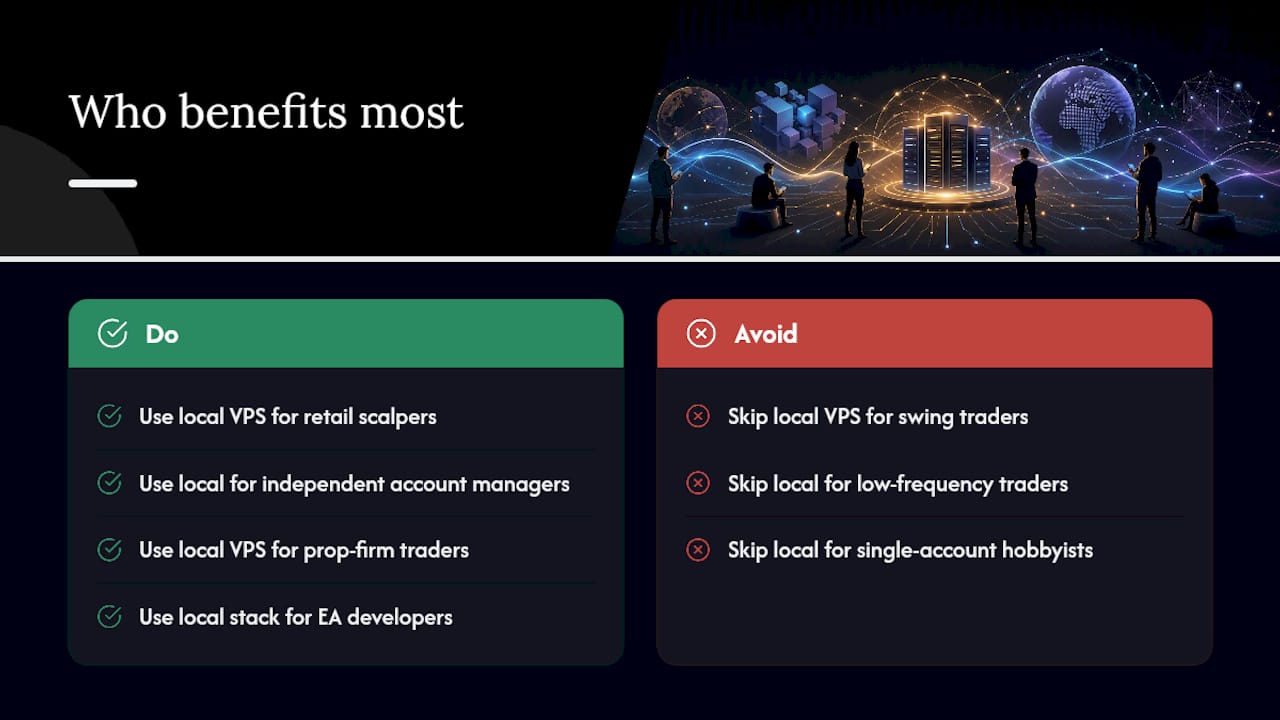
Retail scalpers copying intraday positions to multiple personal accounts need every account filled at roughly the same price. Sequential cloud routing leaves later accounts with consistently worse fills during volatile conditions; a local multi-threaded broadcast keeps all accounts in sync.
Independent account managers copying a paid master signal to client accounts need per-account lot sizing and risk controls that run before execution, not after. Local access to each account’s balance data makes that possible in real time.
Prop-firm funded traders face a specific risk: cloud copiers often run on shared servers where many users’ trades execute from the same IP range with near-identical timestamps. Prop-firm detection flags those patterns. Local execution from your own VPS eliminates that footprint entirely.
EA developers replicating a single licensed strategy across multiple client terminals need a copier that handles both automated and manual orders without breaking the EA’s logic. A local stack keeps the EA’s execution environment clean.
When is local overkill? Swing traders holding positions for days, low-frequency discretionary traders placing a handful of orders per week, and single-account hobbyists rarely see a measurable difference between local and cloud execution. For them, a managed cloud service may be the simpler choice. For more on local VPS trading benefits specific to forex traders, the tradeoffs are worth reviewing before committing to either path.
Technical checklist for a local trade copier setup
Before installing, confirm every item on this list:
- Terminals: MT4, MT5, or DXTrade installed and logged in on the same Windows machine or VPS
- OS: Windows 10, Windows 11, or a minimal Windows Server build — keep non-trading services disabled
- EA permissions: “Allow automated trading” and “Allow DLL imports” enabled in terminal settings
- File paths: Copier EA files placed in the correct
MQL4/ExpertsorMQL5/Expertsdirectory - Firewall/ports: Inter-terminal communication ports open; no antivirus blocking EA file writes
- Credentials: Broker login credentials stored securely; never saved in plaintext files
- NTP sync: Windows Time service configured and running to keep clock drift under 1 second
- Backups: Scheduled daily backup of MT4/MT5 data folders and copier configuration files
- Updates: Windows updates scheduled outside trading hours (typically weekends)
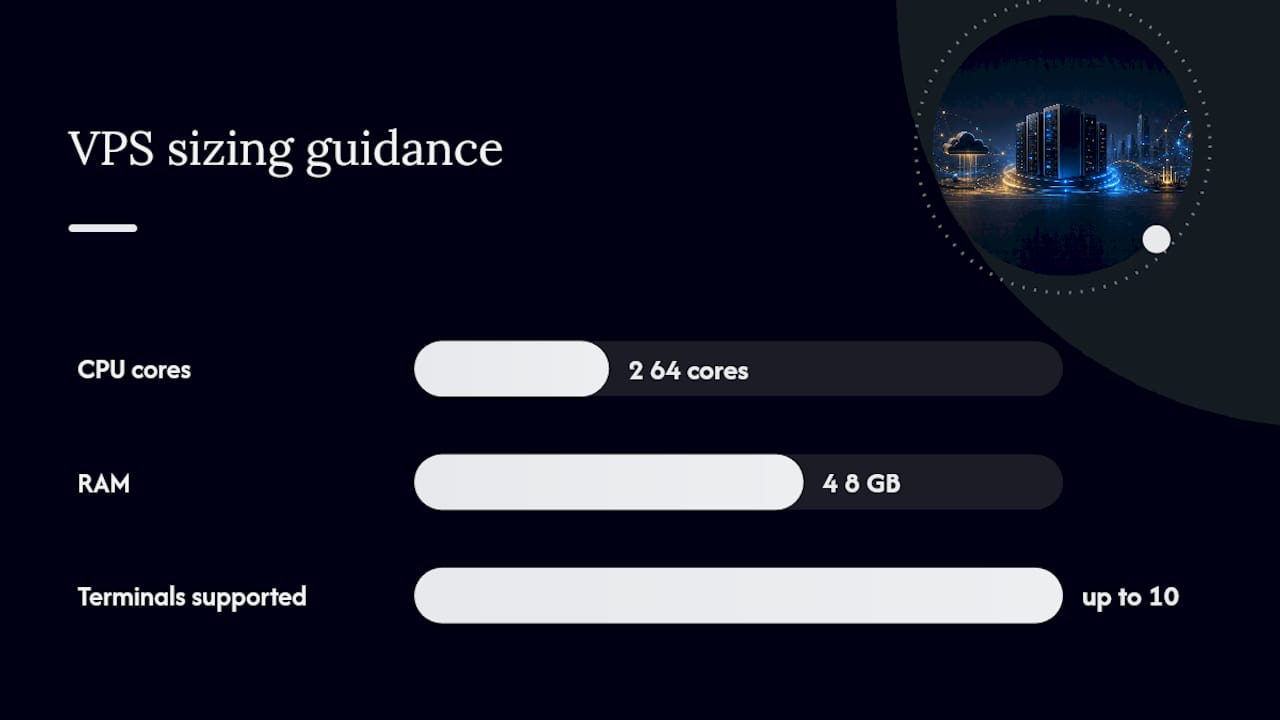
For VPS sizing, a mid-tier Windows VPS with 2–4 CPU cores, 4–8 GB RAM, and an SSD is sufficient for most multi-account setups running up to 10 terminals. Keep backtesting and analytics off the execution machine — a lean OS with pinned trading threads reduces CPU scheduling variability. The installation guide for MT4 and MT5 covers prerequisites and step-by-step setup in detail.
After installation, run three validation tests: an end-to-end latency test (master order to slave fill time), a replication accuracy test on demo accounts, and a multi-account concurrency test simulating simultaneous signals to all slave terminals.
Operational risks and how to handle them
Local setups give you control, and control means responsibility. The main failure modes are predictable, and each has a direct fix.
- Machine crash or reboot: Keep a preconfigured secondary VPS with synced MT directories as a standby. Switching over takes minutes when the config is already in place.
- Windows auto-updates: Schedule update windows for Saturday nights. Unscheduled reboots during trading hours are the most common cause of missed trades.
- Network outage: Use a VPS provider with redundant uptime guarantees. A residential connection is not adequate for a production multi-account setup.
- EA bugs: Test every EA version change on demo accounts for at least one full trading session before deploying live.
- Broker disconnects: Enable terminal auto-reconnect and configure the copier to queue pending signals during reconnection windows.
- Credential theft: Follow trade copier security best practices — strong unique passwords, RDP access restricted by IP, and two-factor authentication where available.
- Backup gaps: Automate daily encrypted backups of your MT data folders and copier settings to an off-machine location.
Pro Tip: Set up automated log monitoring with disk and CPU alerts. A copier that silently stops replicating because a terminal lost connection is worse than one that crashes loudly. Reconcile your trade logs against the master account at the end of every session.
Operationally mature setups run automated monitoring agents, log shipping, and a secondary VPS standby for quick failover — that infrastructure is what separates a reliable production stack from a setup that works until it doesn’t.
What does a local trade-copying stack actually cost?
The ongoing costs for a mid-tier local setup break down roughly as follows:
- Copier software license: monthly or annual subscription fee
- VPS rental: a mid-tier Windows VPS runs approximately $80–$150/month depending on specs and provider
- Monitoring/backup services: optional but recommended; typically $10–$20/month for basic tooling
- Administration time: plan for 1–2 hours per month for updates, log reviews, and occasional troubleshooting
A combined local stack typically costs a moderate monthly fee covering software, VPS, and basic backup services. Total cost of ownership should include execution quality — for multi-account scalping or high-frequency replication, reduced slippage across many trades can justify that incremental cost. For low-frequency strategies, the math is less clear.
The honest trade-off: you get more control, better privacy, and more deterministic execution. You also own the maintenance, the updates, and the troubleshooting. That’s a reasonable deal for traders who need the performance. It’s unnecessary overhead for traders who don’t.
How Local Trade Copier maps to these advantages
Local Trade Copier is an EA-based software that has been running locally on traders’ machines since 2010, with 3,000+ users and 491 Trustpilot reviews. Its features map directly to the advantages covered above.
| Feature | Operational Benefit |
|---|---|
| Sub-0.5s local execution | Reduced replication jitter for scalpers and short-horizon strategies |
| 18 lot/risk management options | Per-client risk enforcement before order submission |
| Automatic lot scaling per balance | Proportional sizing across accounts without manual recalculation |
| MT4/MT5/DXTrade cross-platform copying | One local stack handles mixed terminal environments |
| Reverse copying and trade filters | Flexible replication logic for hedging and selective copying |
Deployment options include Windows PC, trader-controlled VPS, and Mac via Wine. The subscription includes MT4, MT5, MT4-to-DXTrade, and MT5-to-DXTrade components under one plan, with a 7-day free trial to test on demo accounts before committing. You can watch the Local Trade Copier demo to see the setup in action.
Past results do not guarantee future performance.
The case for local execution, stated plainly
Choose local trade copying when execution determinism or prop-firm compatibility matter to your workflow. If you’re running a scalping strategy across multiple accounts, managing client funds with per-account risk rules, or operating funded prop-firm accounts where cloud IP detection is a real risk, the local stack is the right architecture. The latency and privacy advantages are real and measurable.
The one practical tip worth repeating: measure end-to-end master-to-slave fill differences on demo accounts before you invest in a paid VPS. Synthetic pings tell you nothing useful. Actual fill data under live market conditions tells you everything.
Local Trade Copier: try it free for 7 days
Local Trade Copier gives you sub-0.5s local execution, per-account risk controls across 18 lot sizing options, and cross-platform copying across MT4, MT5, and DXTrade — all running on your own machine with no cloud routing. It’s built specifically for traders who need deterministic replication and full control over their execution environment.

The 7-day free trial lets you test the full setup on demo accounts before going live. Start with the installation guide or explore the fast trade copier performance page to see how it handles multi-order replication. Past results do not guarantee future performance.
Sources
- VPS and Cloud Trading Infrastructure: Hosting Futures Systems for Execution, Reliability, and Security – NexusFi Academy
- Cloud Based Trade Copier: Performance and Latency Metrics
- Local Trade Copier + VPS vs Cloud Copier: Total Cost Comparison | Copilink
- Local vs Cloud Trade Copier: Which Is Best?
